Broker Views
Admins can view the different brokers who have placed orders on your firm.
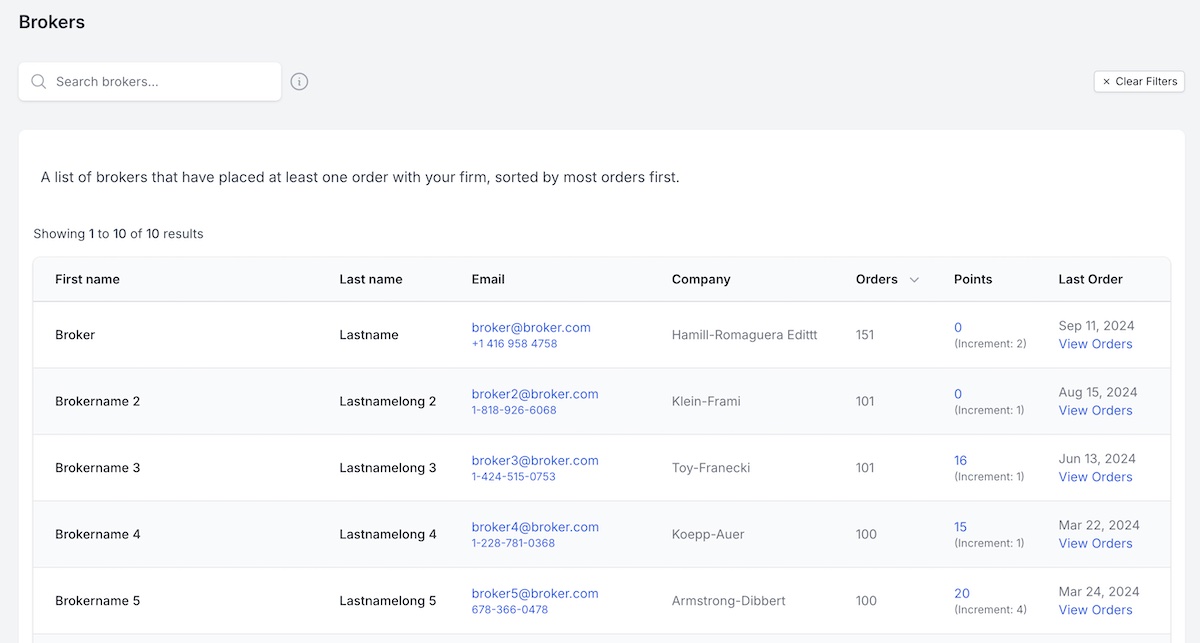
Brokers with at least one order
From the left sidebar navigation, click on Brokers -> At Least One Order. This will show a list of brokers that have placed at least one appraisal order with your firm. You can also view the orders for a particular broker, or manually update their points.
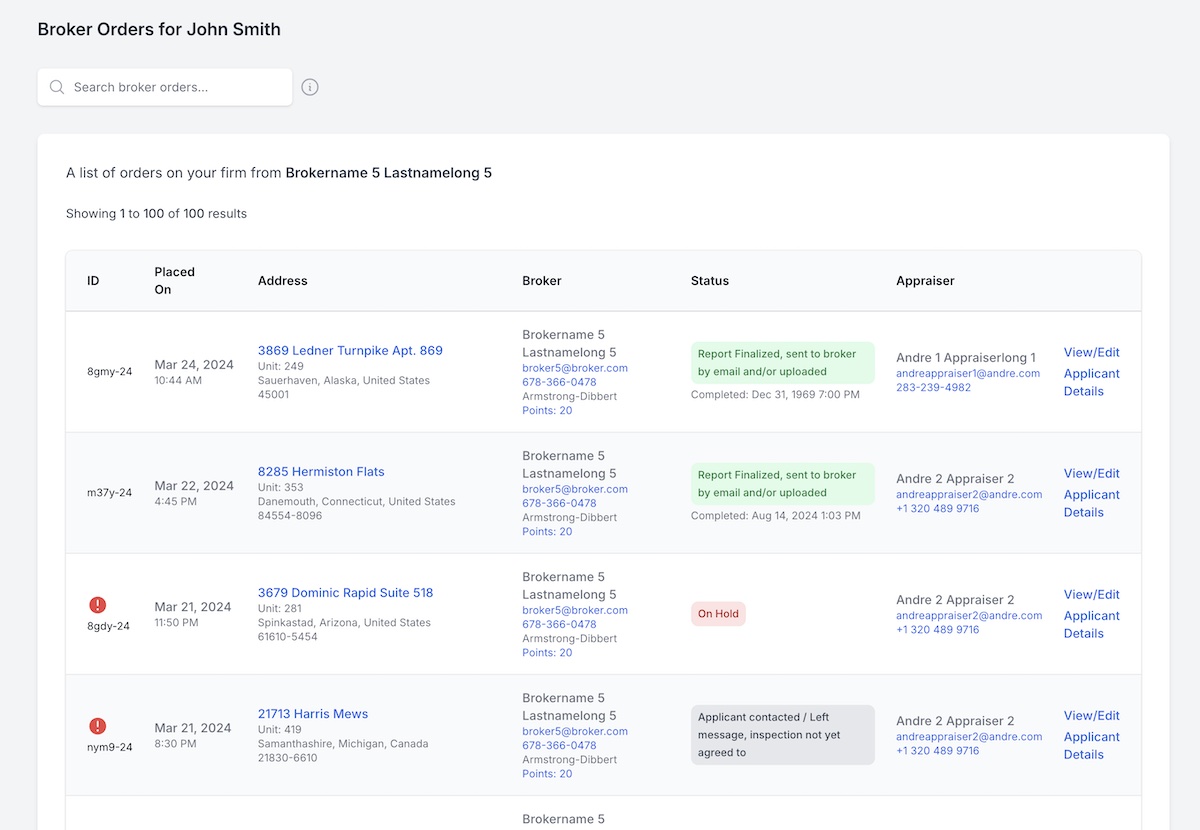
View Broker Orders
Clicking on View Orders will bring up a list of orders for a particular broker. You can also search this list if needed.
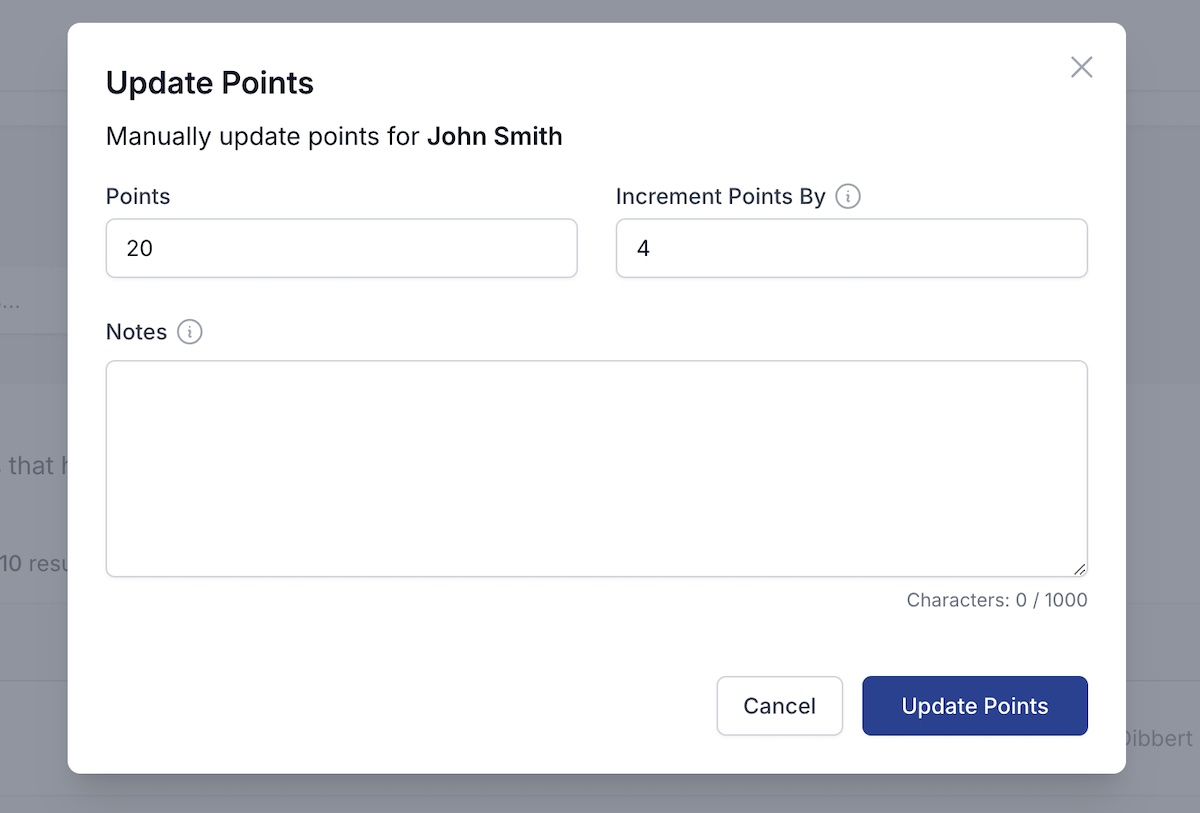
Update Points
Clicking on the Points Value for a broker will allow you to manually update a broker's points. You can also update the increment value of points for each successful order completion.
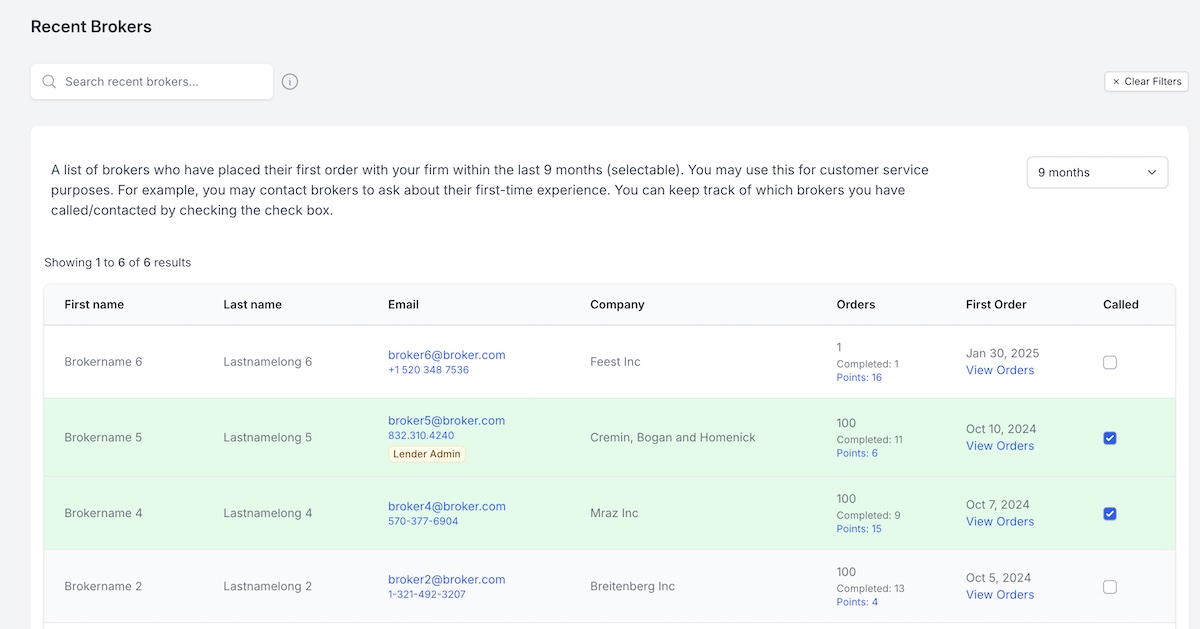
Recent Brokers
From the left sidebar navigation, click on Brokers -> Recent Brokers. This will show a list of brokers who have placed their first order with your firm within the last 3 or more months (selectable). You may use this for customer service purposes. For example, you may contact brokers to ask about their first-time experience. You can keep track of which brokers you have called/contacted by checking the check box.