Promo Announcements
Administrators can post promo announcements that brokers can see on top of their dashboard. This is great for updating your clients on news about your firm, or letting them know about any current Promo Codes. A promo announcement will appear for a broker if they have placed at least one order with your firm in the past.

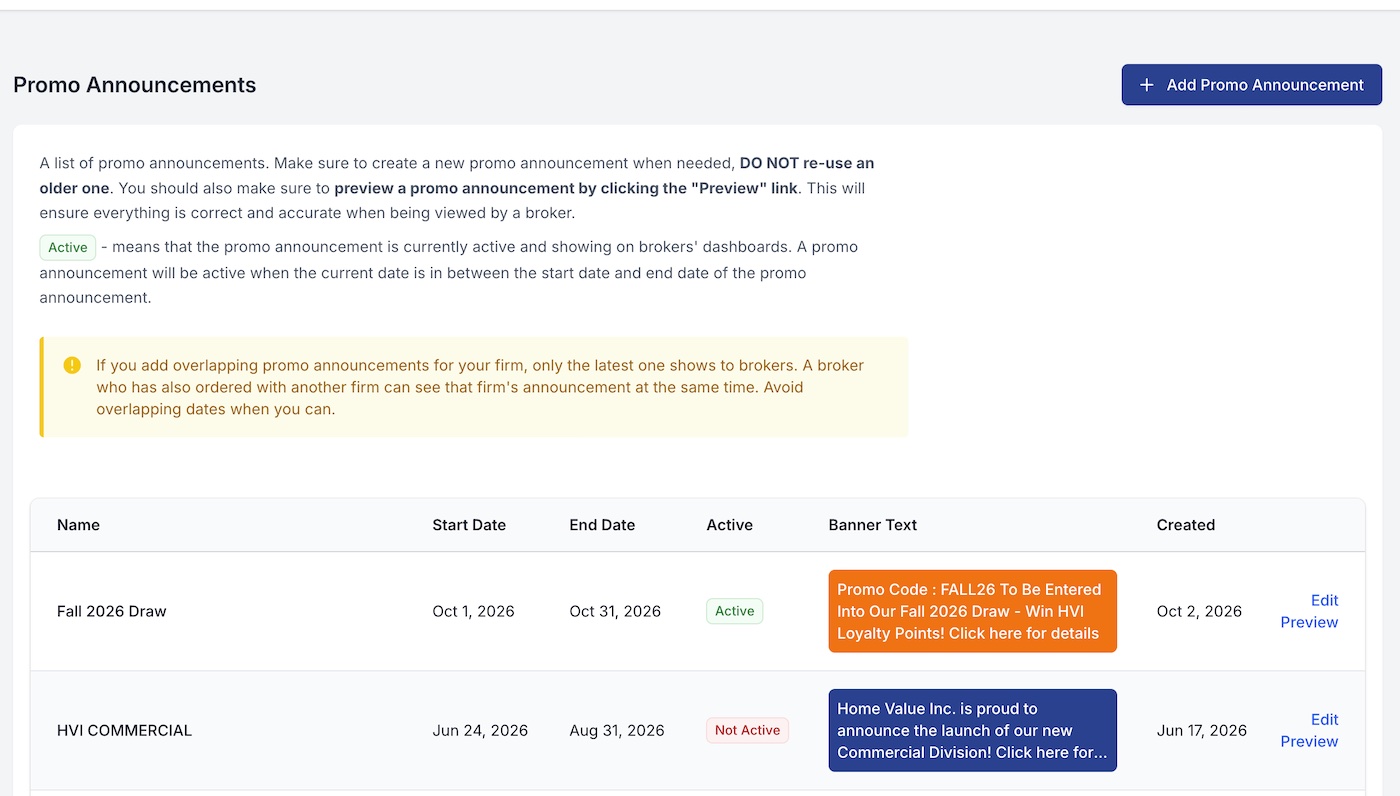
View Promo Announcements
This will show a table of all promo announcements that have been entered for your firm. You can also update any promo announcement by clicking "Edit" and you can delete a promo announcement by clicking "Delete Promo Announcement" on the Edit screen.
You may also preview the promo announcement by clicking "Preview".
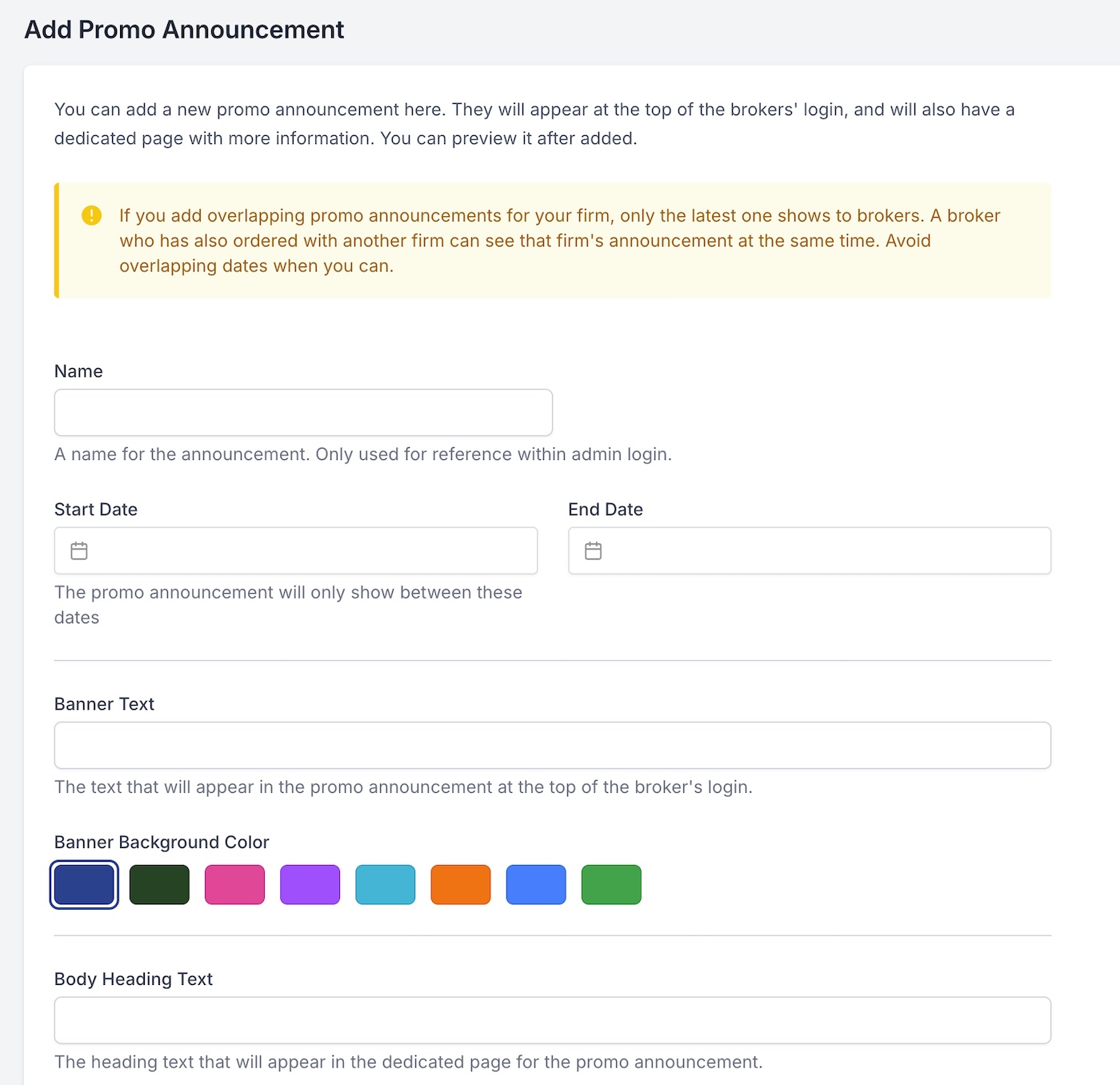
Add Promo Announcement
Allows you to add a promo announcement for your firm.
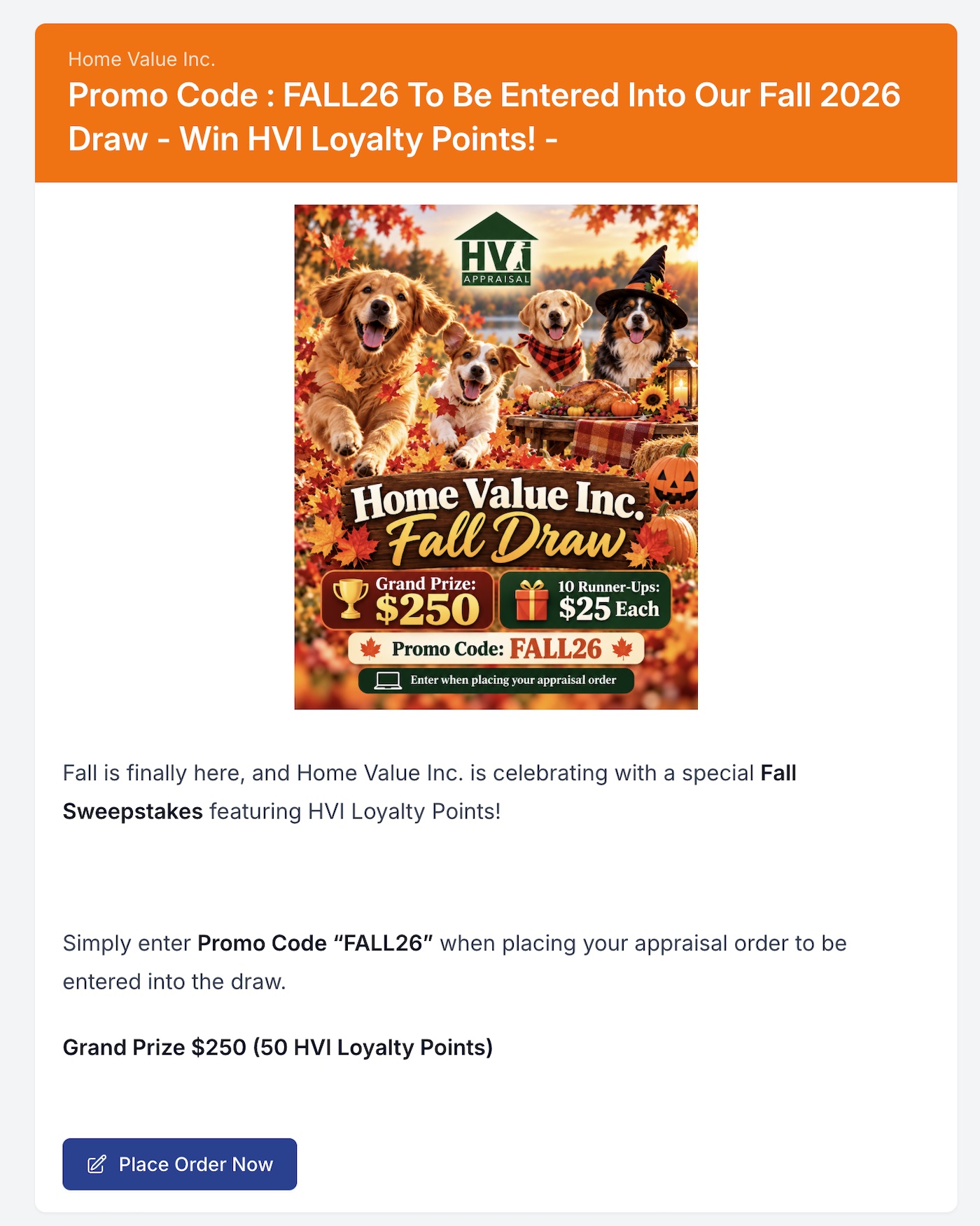
Example Promo Announcement
Here's an example of how a promo announcement looks like to a broker once they click the banner on the top.